
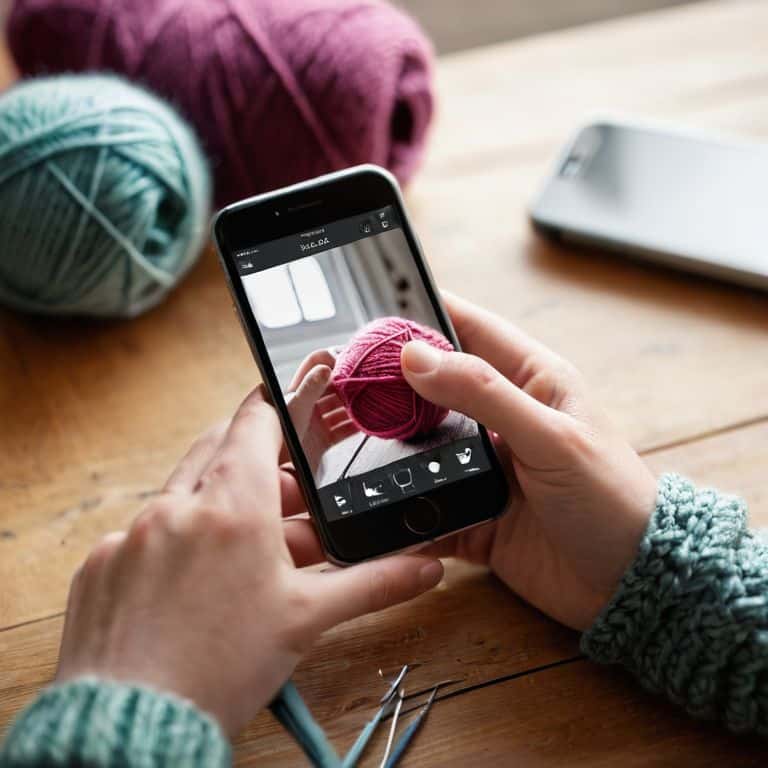
As I travel to fiber festivals like Rhinebeck and EYF, I’m always on the lookout for ways to capture the beauty of the handmade items on display. One thing that’s really caught my attention lately is the importance of having best apps for editing your knitting photos. Whether you’re a seasoned pro or just starting out, showcasing your work in the best possible light can make all the difference. I’ve seen so many talented makers struggle to get their photos noticed, and it’s often because they’re not using the right tools to make their images stand out.
In this article, I’ll be sharing my top 5 picks for the best apps for editing your knitting photos, and I’m excited to dive into the details of each one. From adjusting colors and contrast to adding subtle textures and effects, these apps can help take your photos from good to great. By the end of this list, you’ll have a solid understanding of how to enhance your knitting photos and make them truly shine. Whether you’re looking to showcase your latest project on social media or submit your work to a publication, these apps will give you the skills and confidence to present your handmade items in the best possible light.
Table of Contents
- Snapseed: The Photographer's Best Friend
- VSCO: The Ultimate Filter App
- Lightroom: The Professional's Choice
- Pixlr: The Budget-Friendly Option
- Canva: The Graphic Designer's Dream
- My Top Takeaways for Stunning Knitting Photos
- Capturing the Essence of Our Craft
- Weaving it All Together
- Frequently Asked Questions
Snapseed: The Photographer's Best Friend
I’ve been experimenting with various photo editing apps for my knitting projects, and one that really stands out is Snapseed. This app is a game-changer for anyone looking to enhance their photos without breaking the bank. With its user-friendly interface and advanced editing tools, I can easily adjust the brightness, contrast, and saturation of my images to make them truly pop. Whether I’m capturing a finished scarf or a ball of yarn, Snapseed helps me achieve professional-looking results that make my projects shine.
VSCO: The Ultimate Filter App
As a fiber enthusiast, I’m always on the lookout for ways to add a touch of personality to my photos. That’s where VSCO comes in – this app offers a wide range of pre-set filters that can instantly transform my images from bland to grand. From soft, pastel hues to bold, vibrant tones, VSCO’s filters help me create a consistent aesthetic that reflects my brand and style. Plus, the app is incredibly easy to use, even for a novice like me who’s still learning the ropes of photo editing.
Lightroom: The Professional's Choice
When it comes to editing photos, I know that some of my listeners are serious about getting it just right. That’s why I recommend Adobe Lightroom – this powerful app offers advanced features like tone curve adjustments and color grading, which can help take your photos to the next level. While it may have a steeper learning curve than some other apps, the results are well worth the effort. With Lightroom, I can fine-tune every aspect of my images, from the exposure to the color balance, and achieve a level of quality that’s hard to match.
Pixlr: The Budget-Friendly Option
Not everyone needs (or wants) a fancy photo editing app with all the bells and whistles. That’s why I love Pixlr – this free app offers a wide range of tools and features that can help you enhance your photos without breaking the bank. From basic adjustments like crop and resize to more advanced effects like overlays and textures, Pixlr has everything you need to get started with photo editing. Plus, it’s incredibly easy to use, making it perfect for beginners or those on a tight budget.
Canva: The Graphic Designer's Dream
As a podcaster, I know that sometimes you need to create more than just a pretty photo – you need to create a visual brand. That’s where Canva comes in – this amazing app offers a drag-and-drop interface that makes it easy to create custom graphics, social media posts, and even entire websites. With its vast library of templates, fonts, and design elements, I can create professional-looking visuals that match my brand and style. Whether I’m promoting a new episode or sharing a sneak peek of my latest knitting project, Canva helps me create stunning visuals that grab attention and engage my audience.
My Top Takeaways for Stunning Knitting Photos
I’ve learned that the right editing app can make all the difference in showcasing your knitting projects, from adjusting colors to adding textures
Experimenting with different filters and effects can help you develop a unique visual style that reflects your personality and brand as a maker
Whether you’re a beginner or an experienced knitter, having a few go-to photo editing apps in your toolkit can help you share your creations with confidence and connect with the fiber community on a whole new level
Capturing the Essence of Our Craft
For me, editing my knitting photos isn’t just about making them look pretty – it’s about sharing the story of each stitch, each yarn choice, and each moment that went into creating something with my own hands.
Noah Byrne
Weaving it All Together
As I’ve shared my favorite apps for editing knitting photos, I hope you’ve discovered some new tools to enhance your creative expression. From VSCO to Lightroom, each of these apps offers a unique set of features to make your knitting projects shine. Whether you’re a seasoned pro or just starting out, experimenting with different editing styles can help you find your voice and showcase your handmade items in the best possible light. By investing a little time in editing, you can elevate your photos and make them truly special.
As you continue on your knitting journey, remember that it’s not just about the yarn or the needles – it’s about the story behind each stitch. Whether you’re sharing your projects on social media or gifting them to loved ones, every photo is an opportunity to connect with others who share your passion. So go ahead, get creative, and show the world what you’re working on!
Frequently Asked Questions
Are these photo editing apps available for both iOS and Android devices?
Ah, great question! I’ve made sure to cover both bases – all the apps I mentioned are available on both iOS and Android, so whether you’re a iPhone or Samsung fan, you’re all set! Just head to your respective app store, and you’ll find them waiting for you.
Do I need to have extensive photo editing experience to use these apps for my knitting photos?
Not at all, my friend. I’ve found that these apps are super user-friendly, even for a non-tech savvy guy like me. Most of them have intuitive interfaces and presets that make editing a breeze, so you can focus on showcasing your beautiful knitting projects without needing extensive photo editing experience.
Can these apps help me remove background clutter or distractions from my knitting photos?
Absolutely, my friend! Most of the apps I mentioned have a built-in editing feature that lets you easily remove background clutter or distractions. You can use the ‘select and remove’ tool or even try a background blur effect to make your knitting project shine. It’s a total game-changer for making your photos look pro!
